
Top AI Projects for Accounting and Finance
AI projects for accounting and finance ranked by time to impact. Invoice OCR ships in 2 to 4 weeks and cuts 60 to 80 percent of AP data entry.
Key Takeaways
AI projects in accounting and finance can be scoped inside a quarter, but the published evidence is about adoption, abandonment and obligation, not about guaranteed savings. That makes selection and measurement the hard part, not the technology.
- Invoice extraction and classification is the usual first project because the rules are explicit and every output is checkable line by line, not because any independent benchmark guarantees a savings percentage.
- Abandonment is the base rate to plan against. 42 percent of companies abandoned most of their AI initiatives, up from 17 percent the year before, and the average organization scrapped 46 percent of proof-of-concepts before production, per S&P Global Market Intelligence.
- Most firms cannot yet tell whether a project worked. 40 percent said they had not figured out how to track efficiencies from technology and 35 percent had no specific AI or automation budget, in the 2025 AICPA and CPA.com National MAP Survey.
- Freed capacity mostly does not get resold. Among firms that had a plan for it, 45 percent would reduce hours to improve work-life balance and 40 percent would add advisory services, in the same survey.
- The obligation does not move with the work. Preparer penalties under IRC 6694 attach to the preparer regardless of which tool produced the position.
Table of Contents
- Why 2026 Is the Year Accounting Teams Ship AI
- The 8 AI Projects Ranked by Time to Impact
- Three Quick Wins That Ship in Under 6 Weeks
- Three Higher Impact Projects
- How AccountsGPT Fits Into a Finance Team
- Are You Allowed to Put Client Data Into an AI System, and What Consent Do You Need?
- Who Is Liable When the Model Gets It Wrong, and Does Your Policy Still Cover You?
- Can AI Output Stand Up as a Workpaper, or Does It All Have to Be Re-Performed?
- What Do You Tell Clients, and Do You Have to Tell Them at All?
- A 90 Day Project Sequence for Mid-Market Finance
- What’s Next for AI in Accounting and Finance
- Frequently Asked Questions
Why 2026 Is the Year Accounting Teams Ship AI
Finance and accounting teams have spent two years running AI pilots, and the useful question has narrowed. It is not whether these tools work in a demo. It is which one or two workflows are worth a real build, how the output gets reviewed before it leaves the firm, and how anyone will know afterwards whether the work actually improved. This page ranks eight candidate projects by mechanism and build window, and links a primary source for every figure it prints.
Two things make the timing real, and one thing is routinely overstated. The pipeline keeps thinning: 55,152 students earned an accounting bachelor's or master's degree in 2023-24, down 6.6 percent, with 28,082 new candidates entering the CPA Exam pipeline in 2024. And the ledger platforms have moved, with Intuit listing its Intelligence features across QuickBooks Online plans and Xero announcing an agentic layer, JAX, at Xerocon Brisbane in September 2025. What gets overstated is model reliability on numbers. Controlled evaluation shows large language models degrade on arithmetic word problems when superficial details change, with performance drops of up to 65 percent across state-of-the-art models from adding a single clause that only looks relevant. That is the reason every project below keeps a qualified reviewer on the output. Finance leaders watching accounting industry trends are moving budget into AI work, but the budget only pays back where the review step is designed in from the start.
Four Published Numbers Worth Checking Before Approving a Roadmap
Every figure below links to its primary source. None of them is a savings estimate, because no independent body publishes a credible one.
| Figure | What it counts | Source |
|---|---|---|
| 55,152 | Accounting bachelor's and master's degrees awarded in 2023-24, down 6.6 percent | AICPA and CIMA 2025 Trends |
| 42% | Companies that abandoned most of their AI initiatives, up from 17 percent a year earlier | S&P Global Market Intelligence |
| 40% | Firms that have not worked out how to track efficiencies from technology | 2025 National MAP Survey |
| 35% | Firms with no specific AI or automation budget | 2025 National MAP Survey |
The takeaway is that measurement, not enthusiasm, is the bottleneck. The next section ranks eight projects by how quickly a working version reaches a real user, with the mechanism and the build window for each, so a project can be matched to the capacity that actually exists.
The 8 AI Projects Ranked by Time to Impact
Eight projects come up repeatedly in finance AI scoping conversations. Each one has a clear mechanism, a typical build window, and a known set of risks. None of them has an independently measured ROI figure in the public record, so the list below is ordered by how quickly a working version reaches a user, not by a claimed return. The projects at the top are narrow and checkable. The ones at the bottom need more data preparation and more review before anyone should trust the output.
The 8 Finance AI Projects Ranked by Time to Impact
| # | Project | What it does, and the typical build window | Review burden |
|---|---|---|---|
| 01 | Invoice extraction and classification | Reads AP invoices, extracts line items, and proposes GL codes from coding history for a person to approve. Typical build window 2 to 4 weeks. | Low |
| 02 | Tax document classification | Routes 1099s, W-9s, K-1s, and sales tax certificates to the right file and the right preparer. Typical build window 2 to 4 weeks. | Low |
| 03 | Expense report triage | Flags policy violations and probable duplicates before a reviewer opens the queue. Typical build window 3 to 5 weeks. | Low |
| 04 | AR collections agent | Risk-scores open accounts and drafts follow-up messages that a person reviews and sends. Typical build window 4 to 6 weeks. | Medium |
| 05 | Budget vs actuals narrative | Drafts first-pass variance commentary from the GL for the controller to correct and sign. Typical build window 4 to 6 weeks. | Medium |
| 06 | Anomaly detection on the GL | Flags duplicates, miscoding, and fraud signals continuously instead of only at close. Typical build window 6 to 8 weeks. | Medium |
| 07 | Audit prep auto-bundle | Assembles supporting documents per request with a source trail. Typical build window 6 to 10 weeks. | High |
| 08 | Cash forecast agent | Builds a 13 week rolling forecast from bank, AR, and AP feeds, with scenario layers. Typical build window 8 to 12 weeks. | High |
Review burden is how much qualified human sign-off each output needs before it leaves the firm, judged on data sensitivity and reviewer dependency rather than technical difficulty. Build windows are scoping estimates for one workflow in one stack, not commitments. No savings percentage appears in this table because no independent benchmark publishes one for any of these eight projects.
The pattern that holds across all eight projects is simple. The work where rules are clear and volume is high goes to the model. The work where judgment matters stays with the CPA. Teams that ship the right project first build the muscle to ship the next two. The next section walks through the three quick wins most teams pick to start that flywheel.
Which of These Projects Run on Client Data, and Which Only Work on Your Own Books
Expense report triage and your own AP are the only two on the list that run properly on your own firm's books. Tax document classification, the AR collections agent, audit prep auto-bundle and anomaly detection on the GL only make sense on client ledgers, which changes the consent question, the cost question and the risk question for each of them.
The ranked list above is written as if you own the AP inbox and the general ledger. A partner at an accounting firm usually does not. You touch dozens of ledgers under an engagement letter, and that single fact reshapes all eight projects. Split the list before you scope anything.
Own Books Versus Client Books
| Project | On your own firm's books | Across client ledgers | What changes |
|---|---|---|---|
| Invoice OCR and classification | Straightforward. Your data, your decision. | Viable, but per client | Consent, per tenant API limits, a different chart of accounts each time |
| Tax document classification | Rarely enough volume to matter, so this is the one project that has to begin on client data | The real use case | Return information rules apply the moment a client document enters the system |
| Expense report triage | Straightforward | Only for outsourced accounting clients | Client policy, not yours, has to be encoded per engagement |
| AR collections agent | Your own receivables | Only for CAS or outsourced controller clients | The agent is contacting your client's customers under your client's name |
| Budget vs actuals narrative | Internal practice reporting | Advisory deliverable | Output goes to a third party, so review standards attach |
| Anomaly detection on the GL | Good internal pilot | Strong fit, hardest data problem | Each client file is coded differently, so one ruleset does not port |
| Audit prep auto-bundle | Not applicable | Client engagement work | Documentation standards apply to the output |
| Cash forecast agent | Your own practice cash | Advisory deliverable | You are now forecasting on a client's behalf |
Two practical constraints show up immediately. Xero enforces hard API limits per connected organization, listed in full further down this page, so a nightly sync across forty client files is a scheduling problem before it is an integration problem. And access is file wide once granted: Intuit warns that an authorized third-party application "may have access to sensitive data in your file such as social security numbers, employee data and bank account numbers" (Intuit QuickBooks support, accessed September 2026), and stays that way until you revoke it.
Start on your own books wherever the volume exists, which in practice means expense report triage and your own AP. Tax document classification is the exception, because it has to start on client data, so finish the consent and contract work covered later on this page before you begin.
Realistic at 40 People, Not 400: What a Mid-Size Firm Can Actually Ship
If you have one person who is good with systems and they already carry a full book of work, four of the eight projects are realistic this year and the other four are not. The timelines in the ranked list assume a dedicated finance pod plus an implementation partner. Most firms reading this have neither.
You are the normal case, not the exception. Of 1,073 firms in the 2025 National MAP Survey, 81 percent reported net client fees below $5 million, 41 percent named lack of time to explore or implement as their biggest barrier to emerging technology, and 35 percent had no specific AI or automation budget (AICPA & CIMA and CPA.com, 2025 National MAP Survey Executive Summary). The volume picture is similar. Of 298,868 firms that e-filed in 2024, 46 percent transmitted fewer than 100 returns and 43 percent transmitted between 100 and 1,000, while the 325 largest firms transmitted 46 percent of all 246.3 million returns (The CPA Journal, January 2026).
That matters because document volume is what makes extraction pay. A firm processing a few hundred documents a month gets a different answer than one processing a hundred thousand.
What Scale Each Project Actually Needs
| Project | Realistic at 40 people | Why |
|---|---|---|
| Tax document classification | Yes | Volume is concentrated and the document types repeat |
| Invoice OCR and classification | Yes, if you run bookkeeping or CAS clients | Needs recurring volume from the same vendors |
| Expense report triage | Yes, on your own firm first | Small, safe, teaches the review habit |
| Budget vs actuals narrative | Yes, as an advisory deliverable | Human authored, model assisted |
| Anomaly detection on the GL | Partly | Works per client, does not generalize across files |
| Audit prep auto-bundle | Only if you have a real attest practice | Documentation burden outweighs the saving otherwise |
| AR collections agent | Rarely | Needs an outsourced controller book to justify it |
| Cash forecast agent | No, not as a first project | Data preparation cost exceeds a small firm's capacity |
Pick one. A single project, properly measured, beats three half-built ones.
When a Vendor Says 95 Percent Accuracy, 95 Percent of What?
Ask for the denominator before you ask for anything else. An accuracy number is meaningless until you know what unit it counts, and vendors rarely volunteer it. There are three common units and they produce wildly different pictures of the same system.
Character level counts individual characters read correctly. It is the flattering number and it tells you almost nothing about whether an invoice is usable.
Field level counts fields extracted correctly: vendor, invoice number, date, subtotal, tax, total, each line item. This is the number vendors usually quote.
Document level counts documents where every field is right and no human touch was needed. This is the only number that maps to your staffing.
Do the arithmetic yourself. If a vendor claims 95 percent field level accuracy and your typical invoice carries 12 fields, then assuming errors are independent, the share of documents with zero wrong fields is 0.95 to the power of 12, which is about 54 percent. Roughly 46 documents in every 100 carry at least one field a human has to fix. That is the exception rate you will actually staff for, and a project approved on the headline number instead will run into that gap by about month two.
Two more questions to put in writing. First, was the number measured on the vendor's curated test set or on a sample of your documents, including the phone photos and the scanned faxes? Second, does the system flag its own low confidence extractions, and at what threshold, because a system that knows when it is unsure is worth more than one with a better average.
Apply the same test to the ranges in the ranked list above, including the ones published on this page. A percentage with no stated unit, no named test set and no measurement method is a question to put to whoever produced it, not a finding. That applies to our numbers as much as anyone else's.
Be skeptical of arithmetic in particular. Evaluation work on large language models found that "adding a single clause that seems relevant to the question causes significant performance drops (up to 65%) across all state-of-the-art models", with performance also declining when only the numerical values in a question were altered (Apple Machine Learning Research, GSM-Symbolic, 2024).
Set your own tolerance before you see a demo, and define it at document level.
Where You Should Deliberately Not Use AI in Accounting Work
Keep estimates and accruals, going concern, novel transactions, materiality and scoping, related party identification and anything requiring professional skepticism entirely human. That is the negative space, and a firm that does not draw it deliberately will eventually draw it the hard way. The rule of thumb behind the list: extraction and routing are good candidates, judgment and skepticism are not.
Estimates and accruals. Allowances, reserves, useful lives and fair value inputs depend on facts the model cannot observe and assumptions it cannot test. Circular 230 lists among best practices "establishing the facts, determining which facts are relevant, evaluating the reasonableness of any assumptions or representations" (31 CFR 10.33). A model can surface an assumption. It cannot evaluate whether it is reasonable.
Going concern and any conclusion resting on management intent. The evidence lives in conversations, forecasts and commitments, not in the ledger.
Novel or non-routine transactions. The model is pattern matching against what it has seen. A transaction with no precedent in the file is precisely where that fails, and it will fail confidently.
Materiality and scoping decisions. These set the boundary of the whole engagement. Delegating the boundary is not an efficiency, it is an abdication.
Related party identification. Detection depends on knowledge outside the accounting records.
Anything requiring professional skepticism. A model has no skepticism. It has a prior.
This is not a conservative reading of the field. The PCAOB's own outreach found that "the current integration of GenAI in audits conducted by the firms that the PCAOB staff spoke to appears to be focused primarily on administrative and research activities", with firms "acknowledging the limitations of GenAI, and the need for strong supervision of its use" (PCAOB staff Spotlight, July 2024). If the largest firms in the country are holding the line there, a 40 person firm has no reason to push past it.
The productive framing is narrow. Let the model do the keying, the sorting, the matching and the first pass search. Keep every conclusion, every estimate and every signature with the practitioner.
Three Quick Wins That Ship in Under 6 Weeks
Three projects carry the lightest change-management overhead, which is why they get greenlit first. Each one slots into an existing AP, AR, or expense workflow without replacing a platform, and each one produces output a reviewer can check line by line from day one. That checkability is the real argument for starting here. It is not that the savings are guaranteed, it is that you can see immediately whether the output is right, and cut the project cheaply if it is not.
Three Quick Wins to Start With
| # | Project | What it does | How you check whether it worked | Build window |
|---|---|---|---|---|
| 01 | Invoice extraction | Reads AP invoices, extracts line items, and proposes GL codes from coding history for approval. | Field-level match rate against approved coding on a held-back sample | 2 to 4 weeks |
| 02 | AR collections | Risk-scores accounts, drafts follow-up emails that a person reviews and sends, and tracks promise-to-pay outcomes. | Days sales outstanding against your own trailing baseline, measured before the build starts | 4 to 6 weeks |
| 03 | Expense triage | Flags policy violations, miscoded categories, and duplicate submissions before they reach the reviewer's queue. | Violations caught by the model versus violations caught later by a human | 3 to 5 weeks |
Two selection rules follow from the arithmetic rather than from anyone's reported experience. Start where volume is highest, because a fixed build cost divides across more documents. And give one named person inside finance the authority to set the coding rules and the approval thresholds, because that judgment cannot be delegated to whoever writes the integration. Scope narrowly: the 2025 National MAP Survey found 41 percent of firms named lack of time to explore or implement as the single biggest barrier to emerging technology, which argues for one project rather than three. Controllers reading AI accounting assistants for firms will recognize the same pattern.
How to Pilot This Properly, and What Exactly to Measure
Run it in parallel, take the baseline before you start, and name the metrics in writing before anyone sees a demo. A pilot without a pre-measured baseline cannot produce a result you can defend to your own partners.
Take the baseline first. For two to four weeks before go live, on the workflow you intend to automate, record: elapsed time per unit of work from receipt to posted or reviewed, preparer hours per unit, reviewer hours per unit, number of items sent back for rework, and the reason for each rework. You will not get this from your time system at the grain you need, so have the team log it. Yes, this is annoying. It is also the entire basis of the decision.
Run parallel, not cutover. For the pilot period the model produces output and a human produces output on the same items independently. You compare. Cutover pilots measure whether people complied, not whether the tool worked.
Size the sample deliberately. Attribute sampling sets sample size from the confidence level you want, the deviation rate you can tolerate and the rate you expect, and the same logic applies to a pilot. Decide what error rate you can tolerate and what you expect before you pick a number of items, rather than testing twenty and calling it evidence.
Metrics to Agree Before Go Live
| Metric | Definition | Why it matters |
|---|---|---|
| Document level accuracy | Share of items needing zero human correction | The only number that maps to staffing |
| Exception rate by type | Which field or condition fails, not just how often | Tells you if it is fixable |
| Reviewer minutes per item | Time the reviewer actually spends | The saving is here, not in preparer time |
| Rework rate | Items returned after review | Catches quality moving backwards |
| Cycle time | Receipt to final posted or reviewed | What the client feels |
| Usage | Share of eligible items routed through the tool | Catches quiet abandonment |
Note that 40 percent of firms report they have not yet figured out how to track efficiencies from technology (AICPA & CIMA and CPA.com, 2025 National MAP Survey Executive Summary). Deciding this in advance is the difference.
How You Will Know the Pilot Failed, and What Your Kill Criteria Should Be
Write the exit conditions before you spend the money, because nobody writes them afterwards. The expensive outcome is not a project that fails, it is a project nobody will formally declare dead, which then sits in the budget for years. The way to avoid that is to agree, in advance and in writing, what result ends the project.
Abandonment is a common outcome, not a rare one. In a survey of more than 1,000 respondents across North America and Europe, 42 percent of companies had abandoned most of their AI initiatives, up from 17 percent the prior year, and the average organization scrapped 46 percent of AI proof of concepts before they reached production (S&P Global Market Intelligence, reported by CIO Dive, 2025). Planning for that is realism, not pessimism.
Kill Criteria to Agree Up Front
| Signal | What it looks like | Decision |
|---|---|---|
| Exception rate above your stated tolerance | You set a document level threshold in the pilot design. It is missed, twice, after remediation. | Stop |
| Reviewer minutes not falling | Preparer time drops, reviewer time rises to absorb it. Net zero or worse. | Stop |
| Staff routing around the tool | Usage share falls week on week. People quietly export and do it the old way. | Stop, or fix the workflow first |
| Rework rate climbing | More items bouncing back after review than in your baseline. | Stop |
| Errors reaching a client file | Any incorrect output that got past review to a client deliverable. | Stop immediately, investigate |
| Fix list not shrinking | Same exception categories in week eight as week two. | Stop |
Two rules make these real. First, name the person who calls it. If nobody is accountable for declaring failure, the project ends by drift instead of by decision, and drift costs more. Second, set a hard review date, not a vague one, and hold the decision meeting even if the result is obviously good.
A vendor who will not agree to written kill criteria before the engagement starts is telling you something useful. A partner worth working with will help you write them.
Three Higher Impact Projects
After a quick win lands, three larger projects touch the close cycle and the audit itself. They run 6 to 12 weeks and need close collaboration with controllers, audit partners, or external CPAs, because the output either goes in front of a board or into a workpaper file. No independent benchmark publishes payback figures for any of the three, so the honest framing below is mechanism and obligation rather than a return number.
The Bigger Bets: What They Change, and What They Do Not Remove
Three projects that touch the close and the audit, each with the obligation it leaves exactly where it was.
| Project | What it does | Typical build window | What stays with the professional |
|---|---|---|---|
| Cash forecast agent | A 13 week rolling cash flow built from bank feeds, AR aging, and AP pacing, with scenario layers for hiring plans, churn shocks, and large vendor renewals. | 8 to 12 weeks | The forecast is an estimate a person presents and defends. Bank feeds break and need periodic re-authentication, so a silently stale forecast is the failure mode to design against. |
| Audit prep auto-bundle | Assembles supporting documents per audit request with a source trail, so the exchange with the auditor is a lookup rather than a hunt. | 6 to 10 weeks | Documentation still has to satisfy the experienced auditor test and the retention rules in PCAOB AS 1215, and under SAS No. 142 the auditor evaluates evidence notwithstanding the source it came from or the procedure used to obtain it. |
| Anomaly detection on the GL | Flags duplicates, miscoded entries, and fraud signals continuously, so issues surface days after they happen rather than at close. | 6 to 8 weeks | A flag is a hypothesis, not a finding. Someone qualified still decides whether the entry is actually wrong. |
Build windows are scoping estimates for one workflow in one stack. No published benchmark attaches a savings percentage to any of these three, so none is claimed here.
The shape of the build matters. Cash forecast and anomaly detection need a custom pipeline, because they read your specific data sources and nobody else's. Audit prep and variance commentary start from a document workflow that already exists and get connectors added around it. Either way the deliverable is a running system in your own stack that you own outright, not a seat you rent and not a contractor you keep paying.
If a 40 Hour Job Now Takes 12, What Happens to Your Fee and Your Model?
The answer depends entirely on your fee basis. On a fixed fee the gain accrues to the firm. On an hourly engagement the same gain destroys revenue unless you change the basis first.
Most firms are on the wrong side of that line. Hourly billing is used by 63 percent of firms and a per tax form fee by 40 percent, while value billing sits at 30 percent, up five percentage points since 2022, and fixed pricing at 29 percent, up four points. The median net hourly billing rate rose 6.9 percent over two years to $170 from $159 (AICPA & CIMA and CPA.com, 2025 National MAP Survey Executive Summary).
So the sequence matters: change the fee basis on an engagement before you automate it, not after. Repricing a client downward after you got faster is a conversation nobody wins.
The capacity question is separate and more interesting. Utilization at mid-size firms is already well below full at every grade: 2024 medians were 58.1 percent for equity partners, 59.4 percent for directors, 64.9 percent for senior managers, 66.9 percent for managers, 70.0 percent for senior associates and 66.0 percent for associates, with median net remaining per partner of $252,663 and median leverage of 3.00 billable professionals per equity partner (AICPA & CIMA and CPA.com, 2025 National MAP Survey Executive Summary). Freeing hours out of a book already running below full utilization only converts to money if you have decided in advance where those hours go.
Most firms have not decided to sell them. Among the two thirds of firms with a plan for freed capacity, 45 percent would reduce hours to improve work life balance, 40 percent would provide more advisory or consulting services, 39 percent would expand client load without adding staff and 20 percent would offer new services or niche specialization (same survey).
Decide which of those four you are choosing before the project starts. The business case is different for each.
What Actually Breaks in the First Ninety Days
Integration debt is the usual one line answer. Here is the specific list, which is more useful.
Every client file is set up differently. Chart of accounts structures, account naming, class and location dimensions, and posting conventions vary per client. A classification model trained on one file does not transfer cleanly to the next, and the work of mapping each one is manual.
Vendor name variants. The same supplier appears as five strings across five clients and sometimes across one. Matching logic that looks trivial in a demo fails on real master data.
Document quality. Scanned PDFs, phone photos taken at an angle, multi page invoices split across two attachments, statements pasted into an email body. Extraction accuracy measured on clean PDFs does not survive contact with a client's actual inbox.
Multi entity allocations and intercompany. Anything that splits across entities needs rules the model does not infer.
Prior period adjustments. The model posts to the current period because that is what it has seen. Correcting entries need a human path.
Changed statement formats. A bank or a large vendor redesigns a statement and your extraction silently degrades. You need a monitoring check, not a complaint from a preparer.
Bank feed re-authentication. Feeds require periodic re-authorization and they break. Any workflow that assumes a live feed needs a defined failure path.
API limits. Xero enforces per tenant limits of 5 concurrent calls, 60 calls per minute and 5,000 calls per day per connected organization, plus an app wide ceiling of 10,000 calls per minute, and anything over the line returns HTTP 429 (Xero Developer, accessed September 2026). Across a client book, a nightly sync becomes a queueing design problem. Check the published limits for every platform you intend to sync, not just Xero.
Access scope. Authorizing a third-party app against a QuickBooks company file exposes the whole file rather than a scoped subset, which is what Intuit's own warning about sensitive data in the file, quoted earlier, actually means in practice.
Budget most of your first ninety days for this list, not for the model.
How AccountsGPT Fits Into a Finance Team
AccountsGPT is Gaper's accounting agent, and it is the starting point for the extraction, classification, triage, and audit prep projects above rather than a finished product you switch on. What it gives you is a pre-built workflow shape: document intake, extraction, a coding proposal, an approval gate, and a logged trail of what the model saw and what a person changed. The chart of accounts, the coding rules, and the approval thresholds are configured against your ledger during the build, which is where most of the first few weeks actually go. The finance team owns the workflow, and owns the deployed system when it ships. The agent runs the volume work inside that workflow.
The mistake teams make is treating AccountsGPT as a replacement for the controller. It is not. The model classifies and routes. The CPA approves. That split lets the controller spend her week on close commentary and audit responses rather than on data entry, which is where she adds the most value and where the AI cannot. The same split is set out in the broader playbook on ways ChatGPT can optimize accounting.
AccountsGPT Inside a Mid-Market Finance Org
| Layer | Who or what | Owns |
|---|---|---|
| Executive | CFO | Strategy, sign-off, board reporting |
| Review | Controller and CPA | Every judgment call, exceptions, final approval |
| Volume | AccountsGPT | AP invoices, classification, expense triage, audit bundles |
AccountsGPT runs the high-volume layer. The controller and CPA carry every judgment call upward to the CFO.
Are You Allowed to Put Client Data Into an AI System, and What Consent Do You Need?
For a tax practice this is a rule with penalties attached, not a preference. Before tax return information is disclosed to or used by a third party service, you need the taxpayer's written consent, and that consent has a specific form.
The consent "must be knowing and voluntary", must be in writing before the disclosure or use, and where no duration is stated it is "effective for a period of one year from the date the taxpayer signed the consent" (26 CFR 301.7216-3). For Form 1040 clients the formatting is prescriptive. Each consent must be a separate written document; on paper it must be on 8.5 by 11 inch or larger sheets, in at least 12 point type, at no more than 12 characters per inch; and consents obtained on or after January 14, 2013 must contain the mandatory language in section 5.04 (IRS Rev. Proc. 2013-14). A clause tucked into your engagement letter does not satisfy this.
Professional standards sit on top. AICPA guidance under ET 1.700.040 gives two routes before confidential client information goes to a third party service provider: either "obtain specific consent from the client before disclosing confidential information to a third-party service provider", or "enter into a contractual agreement with the provider to maintain confidentiality". The AICPA's own journal recommends doing both, and notes the Sec. 7216 requirements are more robust and require specific language (Journal of Accountancy, 2024).
Then the security program. The FTC Safeguards Rule requires a designated Qualified Individual, a written risk assessment, encryption of customer information in transit and at rest, multi-factor authentication for any individual accessing any information system, written service provider oversight, a written incident response plan, and notice to the FTC no later than 30 days after discovering an event affecting 500 or more consumers. On testing it gives you a choice: continuous monitoring, or annual penetration testing with vulnerability assessments at least every six months (16 CFR 314.4). An AI pilot touches most of those controls.
On the model providers themselves, the defaults are better than most partners assume. OpenAI states that "as of March 1, 2023, data sent to the OpenAI API is not used to train or improve OpenAI models (unless you explicitly opt in)", with abuse monitoring logs retained for up to 30 days and Zero Data Retention available to approved customers (OpenAI developer documentation, accessed September 2026). Anthropic states that "by default, we will not use your inputs or outputs from our commercial products (e.g. Claude for Work, Anthropic API, Claude Gov, etc.) to train our models" (Anthropic Privacy Center, accessed September 2026).
One open item you must resolve yourself: read your own QuickBooks Online Accountant, Xero partner or Sage partner agreement to confirm what third-party API access to client files it permits, and whether accountant login access carries different data use terms than the client's own login. Do not assume.
Who Is Liable When the Model Gets It Wrong, and Does Your Policy Still Cover You?
You are. Responsibility does not transfer to a tool or a vendor, and no contract you sign with a software provider changes who signed the return.
Preparer penalties attach to the preparer regardless of what produced the position. Under IRC 6694(a) the penalty is the greater of $1,000 or 50 percent of the income derived from the return, and under 6694(b), for willful or reckless conduct, the greater of $5,000 or 75 percent of the income derived (26 U.S.C. 6694). There is no software exception.
Supervision is named too. Circular 230 puts the duty on whoever runs the firm's federal tax practice: the individual with "principal authority and responsibility for overseeing a firm's practice" must "take reasonable steps to ensure that the firm has adequate procedures in effect" and must act promptly to correct any pattern of noncompliance (31 CFR 10.36). If your firm adopts an AI tool, the adequate procedures for its use are your obligation to design and document.
On insurance, the picture right now is that carriers are asking questions but have not repriced. Stan Sterna of Aon, which administers the AICPA Member Insurance Program, has said insurers "are going to ask a firm about their AI policy and procedures" and that "there really hasn't been a lot of claims or large dollar amounts paid on claims", with no current premium impact reported (Accounting Today, 2026). Most firms already have the adjacent cover: 88 percent purchase cyber liability insurance, 46 percent as an endorsement to existing professional liability coverage and 37 percent as a standalone policy, with 9 percent carrying none, down from 20 percent in 2016 (AICPA & CIMA and CPA.com, 2025 National MAP Survey Executive Summary).
Three things to do before renewal. Write a short AI use policy naming permitted uses, prohibited uses and the review step. Keep evidence that a qualified person reviewed model output before it reached a client file. Call your broker and ask directly whether your policy has added an AI exclusion or an AI disclosure question, and get the answer in writing.
Can AI Output Stand Up as a Workpaper, or Does It All Have to Be Re-Performed?
It can be evidence, but the documentation has to let another practitioner follow what was done, which limits how opaque the step in the middle can be. This is the question that decides whether audit prep automation is worth anything, because if every output must be manually re-performed to be documented, the saving is far smaller than the timelines above suggest.
The standards already contemplate automated tools. SAS No. 142, which amends AU-C 500, recognizes "automated tools and techniques such as audit data analytics, AI, and remote observation tools", and rests on the principle that "the auditor should evaluate information to be used as audit evidence notwithstanding the source from which it is obtained or the procedures used to obtain the information", effective for periods ending on or after December 15, 2022 (Journal of Accountancy, 2020). The source does not disqualify the evidence. It also does not excuse you from evaluating it.
For issuer work, PCAOB AS 1215 sets the bar. Documentation must let an experienced auditor, one who "has a reasonable understanding of audit activities and has studied the company's industry as well as the accounting and auditing issues relevant to the industry", understand the work performed. Paragraph .14 requires audit documentation to be retained for seven years from the report release date. Paragraph .15 requires a complete and final set to be assembled for retention, that is archived, no more than 14 days after the report release date. That 14 day documentation completion date took effect for audits of fiscal years beginning on or after December 15, 2024 at firms that issued more than 100 issuer audit reports in 2024, and on or after December 15, 2025 at all other firms (PCAOB AS 1215, accessed September 2026). If you are still closing out an earlier period, confirm the deadline that applied to that period before you rely on a number.
What this means in practice. Document the tool and version used, the inputs it received, the parameters or prompt, the raw output, the reviewer's name, the sample the reviewer tested, and the exceptions found and resolved. Retain the output as produced, not just the corrected version.
For compilation and review engagements, confirm the documentation requirements under the applicable SSARS sections with your technical resource before designing the workflow. Do not assume the audit answer carries across.
What Do You Tell Clients, and Do You Have to Tell Them at All?
Yes, tell them, and tell them before they hear it somewhere else. For tax return information the answer is stronger than a courtesy: as set out above, you need written consent before disclosure to or use by a third party service, that consent must be a separate document meeting specific formatting rules rather than a clause in the engagement letter, and absent a stated duration it runs for one year from signature. It is an annual item, not a one time one.
For non tax engagements, the AICPA route under ET 1.700.040 also described above gives you two options, specific client consent or a confidentiality agreement with the provider, and the AICPA's journal recommends doing both.
Sequence the conversation like this.
At engagement or renewal, not mid year. Put the technology and third-party service provider language in the engagement letter, and run the separate 7216 consent alongside it for tax clients. Have counsel or your technical reviewer approve the wording.
Lead with the control, not the tool. Clients do not care which model you use. They care who checks it. The sentence that lands is a plain one: software does the data entry and the sorting, a person reviews every number before it goes anywhere, and the firm is responsible for the result either way.
Answer the direct question directly. When a client asks whether a machine is doing their return, the honest answer is that a machine does part of the preparation work the same way it has done the calculations for thirty years, and that a named professional prepares, reviews and signs it. Do not oversell the technology and do not hide it.
Give them an opt out and record it. Some clients will decline. That is manageable if you know which ones in advance, and unmanageable if you find out afterwards.
A client who learns this from a third party is a retention problem you created for no reason.
A 90 Day Project Sequence for Mid-Market Finance
A 90 day window is long enough to ship something narrow, short enough to hold executive attention, and aligned with most quarterly planning cycles. The sequence below is a scoping template, not a reported average of what anyone did. It starts with the lowest-risk, highest-frequency work and ends with the project that needs the most data preparation, because each phase produces the cleaned data and the reviewer habits the next phase depends on.
A 90 Day Finance AI Rollout
| Phase | Window | What ships |
|---|---|---|
| W1 | Weeks 1 to 2 | Invoice OCR live. AP team starts auto-classification. |
| W3 | Weeks 3 to 6 | AR collections agent and expense triage in parallel. |
| W7 | Weeks 7 to 10 | Anomaly detection on the GL trained on historical close data. |
| W11 | Weeks 11 to 12 | Cash forecast pilot live. Scenario layers added for board review. |
The sequence assumes one named owner inside finance plus one implementation partner. Before week 1, write down the baseline you intend to move and how you will read it, because 40 percent of firms in the 2025 National MAP Survey reported they had not figured out how to track efficiencies from technology at all.
The execution risk in this plan is not the model work. It is the integration with QuickBooks, NetSuite, Xero, and the bank feeds, and the platforms cap how fast any of it can move. Xero allows 5 concurrent calls, 60 calls per minute and 5,000 calls per day per connected organization and returns HTTP 429 past any of those, and Intuit publishes its own per-company throttling limits, so a sync design that ignores them fails in production rather than in testing. Plan the integration layer first and budget it as the largest line item in the build. Finance leaders borrowing patterns from AI financial management for startups have a clean reference architecture to start from.
Who Owns This Day to Day, and How Many Hours a Week Does It Really Take?
One manager will end up owning it on top of a full book of work, and if you do not protect their time the project will fail quietly. That is a resourcing decision, not a technology one, and it is the one most often left implicit.
Time is already the binding constraint: 41 percent of firms named lack of time to explore or implement as their biggest barrier to emerging technology (AICPA & CIMA and CPA.com, 2025 National MAP Survey Executive Summary).
Three roles are needed and they are not the same person.
The owner. A manager or senior manager who knows the workflow, has the standing to change it, and can tell a partner the pilot is failing. This is the load bearing role.
The reviewer. Whoever signs off on the output during the pilot. Their time is the time that has to fall for the project to be worth anything, so it must be measured separately.
The sponsor. A partner who holds the review dates and the kill decision. Light time commitment, high importance.
Where the Owner's Time Goes
| Phase | Load on the owner | What it covers |
|---|---|---|
| Build and configuration | Heavy and lumpy, concentrated around vendor sessions | Data mapping, chart of accounts work, test set assembly |
| First review cycle | The heaviest phase, and a sustained weekly commitment | Parallel run, comparing output, logging exceptions by type |
| Steady state | Light, but never zero | Exception handling, format changes, re-authentication, monitoring |
There is no published benchmark for these hours in a professional services setting, so do not accept one from a vendor either. Make the implementation partner commit to their own weekly hour estimate for each phase in the statement of work before the engagement starts, and track actuals against it from week one. The variance is the useful number.
Two practical moves. Reduce the owner's chargeable target explicitly for the pilot period, in writing, rather than expecting the hours to appear. And do not assign implementation time as professional education; implementation work generally does not qualify as CPE unless it is delivered as a qualifying program.
If the Model Does the Prep Work, How Do Juniors Learn to Be Seniors?
This is a legitimate objection and the honest answer is that your training pipeline has to be redesigned, not just preserved. Tick and tie, keying and agreeing balances is how a first year learns what a set of books looks like and develops a feel for when something is off. Remove it without replacing it and you get seniors who can review output they never learned to produce.
The staffing backdrop makes this worse, not better. 55,152 students earned a bachelor's or master's in accounting in 2023-24, down 6.6 percent, with 40,817 earning an accounting bachelor's degree, down 3.3 percent, and 28,082 new candidates entered the CPA Exam pipeline in 2024 (AICPA & CIMA, 2025 Trends report). You will have fewer people coming through, and each one needs to reach competence faster.
Three things actually work here.
Make juniors the reviewers of model output, deliberately. Reviewing extraction against source documents teaches the same pattern recognition as keying, at higher volume and in less time, but only if they are required to trace to source rather than rubber stamp. Build the tracing step into the workflow.
Keep a deliberate manual cohort. Have first years prepare a defined set of files by hand each year, chosen for variety rather than convenience, and treat it as training cost rather than chargeable work. Budget it openly.
Move the exception queue down, not up. Exceptions are where the learning is. The instinct is to route them to a manager for speed. Route the routine exceptions to juniors with a manager reviewing, and you get both the fix and the training.
The leverage math still assumes a pyramid: median leverage is 3.00 billable professionals per equity partner, and 5.78 for top performers (AICPA & CIMA and CPA.com, 2025 National MAP Survey Executive Summary). If automation hollows out the base of that pyramid without a replacement training path, the firm's economics break a partner generation later, quietly.
Can You Go Live During Busy Season, or Do You Wait?
Do not go live during peak filing season. Run the pilot outside it, freeze changes before it starts, and only carry through the work that is already stable and does not touch a filing deadline.
The ninety day sequence above ignores the calendar, which is the first thing a partner checks. Here is the version that survives a January.
What Is Safe When
| Period | What to do | What not to do |
|---|---|---|
| Late spring to early summer | Baseline measurement, vendor selection, data mapping, first build | Nothing, this is your window |
| Summer | Parallel run and pilot review, the real testing period | Rolling to all clients before the review meeting |
| Early fall | Extension season work, so stabilize only | Changing a workflow you rely on this month |
| Late fall | Decision and full rollout if the pilot passed, plus training before the freeze | Starting a new build |
| Change freeze, weeks before peak season opens | Documentation, fallback procedures, access checks | Any configuration change at all |
| Peak filing season | Run what is already stable. Log exceptions for later. | Go live, retrain, reconfigure, onboard a new vendor |
Two exceptions worth naming. Work that never touches a filing, your own firm's AP, internal expense triage, practice reporting, is safe to pilot at any point, and peak season is actually a good time to prove value on internal processes because volume is high. And a read only tool that produces a suggestion a human can ignore carries far less risk than one that writes to a client ledger, so the freeze can be looser for the former.
The hard rule: never let a busy season be the first time a workflow runs in production. If the pilot has not completed a full review cycle by the freeze date, it waits. A firm that breaks its own process in February pays for it for the rest of the year, and the tool takes the blame for a timing decision.
What’s Next for AI in Accounting and Finance
Three shifts are worth planning around, and it is worth being precise about which are already real. The ledger platforms have moved: Intuit lists its Intelligence features across QuickBooks Online plans, and Xero announced JAX, an agentic layer, at Xerocon Brisbane in September 2025. The autonomous close and the real-time copilot are still aspirations rather than shipped practice, and the PCAOB's own outreach to the largest firms found generative AI use focused primarily on administrative and research activities, with those firms acknowledging its limitations and the need for strong supervision. The evidence rules, meanwhile, are not waiting for a new AI rulebook. They already apply.
The Three Shifts Ahead
| # | Shift | What it means |
|---|---|---|
| 01 | Autonomous close | A close that runs day by day rather than month by month, with a CPA approval at the end rather than a multi-week sprint. |
| 02 | Real-time CFO copilots | A finance copilot that answers questions from the GL, the cash forecast, and the budget in seconds rather than days. |
| 03 | The evidence rules already in force | No new AI rulebook is required. SAS No. 142 already has the auditor evaluate evidence notwithstanding its source or how it was obtained, and PCAOB AS 1215 sets the documentation, experienced auditor and retention bar an AI-assisted workpaper has to clear. |
The planning takeaway is narrow. Pick the one project from the eight that maps to where the hours actually go, write down how you will measure it before anything is built, and run it long enough to see whether the measurement moves. That last step is where most programs quietly fail: 40 percent of firms in the 2025 National MAP Survey said they had not worked out how to track efficiencies from technology, which makes a successful project indistinguishable from an unsuccessful one. Some teams add chatbots for sales forecasting as a conversational layer over the cash forecast agent above. Whatever gets picked, the output has to survive the same review the work already gets.
Your Ledger Software Already Ships AI Features. Why Build Anything?
Use what is bundled wherever it fits, and build only where your workflow crosses systems the vendors do not connect. Anyone who tells you the bundled features are not a real alternative is selling you something.
They are real and you are already paying for them. QuickBooks Online list prices are Simple Start $38, Essentials $85, Plus $140 and Advanced $340 per month, with Intuit Intelligence features listed across the plans: Accounting and Payments AI from Essentials, Customer AI from Plus, and Finance and Project Management AI on Advanced (Intuit, QuickBooks Online pricing, accessed September 2026). Xero announced JAX as its AI financial superagent at Xerocon Brisbane on September 3, 2025, described as orchestrating multiple AI agents to reduce manual work (Xero media release, September 2025).
So the honest decision rule is narrow.
Bundled Versus Built
| Situation | Use what is bundled | Build something |
|---|---|---|
| Coding transactions inside one ledger | Yes | No |
| Bank feed categorization | Yes | No |
| Basic invoice capture in the platform | Yes | No |
| A workflow spanning your practice management system, the ledger and a document store | No | Yes |
| Firm wide reporting across dozens of client files in different systems | No | Yes |
| A routing or triage step that sits before anything enters the ledger | No | Yes |
| Anything the platform roadmap already covers this year | Yes, wait | No |
Three practical tests before you spend. First, turn on the bundled feature and measure it against your baseline for a month; you may not need anything else. Second, ask whether the gap you are trying to close is inside one vendor's boundary or across two, because across is where a platform will never help you. Third, ask whether the vendor's roadmap closes the gap within a year, because building something the platform will ship for free is the most common way firms pay twice.
Where a build genuinely earns its place, it is because the work crosses systems, and no single vendor has an incentive to connect them.
If You Stop Working With a Vendor, What Do You Keep?
You keep the source code, the prompts and configuration, the extraction history, the review and approval logs, the infrastructure definition and the model provider accounts, but only if all of them sit in your firm's name from day one. Ask for that in the first meeting, not the last, and get the exit terms in writing before the first invoice.
The list below is what should transfer to you on exit. Anything a vendor will not commit to here is a dependency you are accepting knowingly.
What Should Transfer on Exit
| Asset | What to require | Why it matters |
|---|---|---|
| Source code repository | Full history, in your own version control account, from day one | If it lives only in the vendor's account, you own nothing |
| Prompts and configuration | Plain text, in the repository, versioned | The prompts are the accumulated knowledge of your workflow |
| Fine tuned weights or adapters | Exported artifacts plus the training data used | Otherwise you restart from zero with the next provider |
| Extraction history | Full structured output for every document processed, exportable | This is your client data and your evidence trail |
| Audit and review logs | Who approved what, when, exportable in a readable format | Documentation obligations do not end when the contract does |
| Infrastructure definition | Deployment configuration and environment variables | Lets another team stand it up without a rebuild |
| Model provider accounts | Contracted in your firm's name, not the vendor's | You keep the relationship and the data terms |
That last one is more important than it looks. The default commercial terms at the main model providers, quoted earlier on this page, are reasonable on training and retention. But those terms protect whoever holds the account. If that is your vendor, they protect your vendor, and you inherit nothing when the relationship ends.
Also confirm the deletion path: what gets deleted on exit, on what timetable, and who certifies it. And read your ledger platform's own terms on data export and deletion rather than assuming they match what your implementation partner tells you.
What to Ask a Vendor Before You Sign Anything
Take this list into every conversation, including ours. You already evaluate outside service providers under your own professional obligations, so apply the same standard here.
On accuracy. What unit is your accuracy number measured in, character, field or document? What was the test set, and will you re-measure on a sample of our documents including phone photos and scanned faxes? Does the system flag its own low confidence output, and at what threshold?
On the pilot. Will you agree written success metrics and written kill criteria before the engagement starts? Will you run in parallel against a human baseline rather than cutover? How many hours per week do you expect from our people during build, first review cycle and steady state, and will you put that number in the statement of work?
On data and consent. Where is client data processed and stored? What is the retention period for inputs and outputs at every provider in the chain, including subprocessors? Will you sign a confidentiality agreement meeting the third-party service provider expectation under AICPA ET 1.700.040, set out above? Are your controls consistent with the FTC Safeguards Rule requirements listed above, including encryption in transit and at rest, multi-factor authentication and a written incident response plan?
On governance. Can you map your controls to a recognized framework? NIST AI 100-1, the AI Risk Management Framework published in January 2023, is free, voluntary and non vendor, with a Core of four functions, GOVERN, MAP, MEASURE and MANAGE (NIST AI 100-1, 2023). A vendor who cannot speak to it has not thought about governance.
On integration. How do you handle per tenant API limits, for example the Xero limits listed above? What happens when a bank feed needs re-authentication or a statement format changes?
On exit. What do we keep, and in whose account does the code live from day one?
If you want a second opinion on a specific workflow before you commit to anyone, book a free AI assessment and we will scope one workflow with you, including our own answers to every question on this list.
Frequently asked questions
Which AI project should a mid-market finance team ship first?
How long until an AI cash forecast agent is reliable enough for board reporting?
Will an AI agent like AccountsGPT replace the controller or AP team?
What is the biggest risk when running AI projects in accounting?
AI Agents for Finance: FP&A, Close, and Reporting in Production
How finance teams put AI agents into production for FP&A, the monthly close, and reporting, what works, where pilots stall, and how to deploy safely.
May 29, 2026
Innovating with Purpose: AI, Finance, and Social Impact, Insights from Shauna Jones
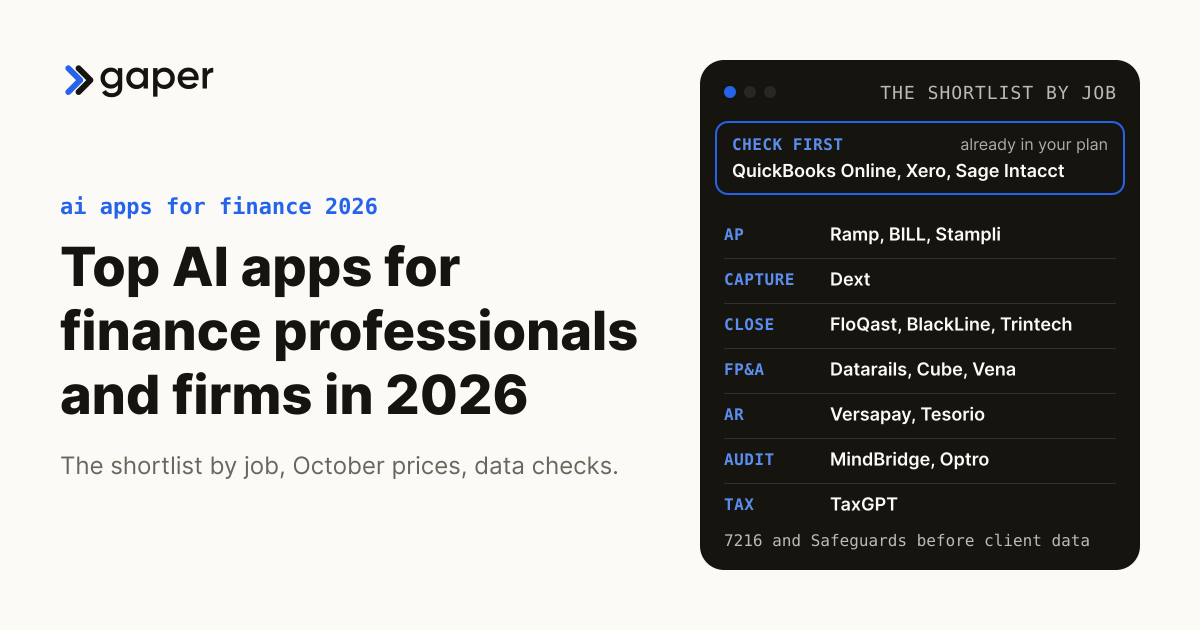
Top AI Apps for Finance Professionals and Firms (2026)
Ready to turn AI into execution?
Book a free assessment of one workflow. We map it, make an honest build versus buy call before any code, and if an off the shelf product covers the job we will tell you so.