
The AI Agent Implementation Checklist for Ops Leaders
A practical AI agent implementation checklist for ops leaders: scope, data access, guardrails, eval, deployment, and the metrics that get an agent into production.
Most AI agent projects don't fail in the demo. They fail in the gap between the demo and a system that runs unattended on Tuesday afternoon when the person who built it is on vacation. The pilot answers 8 questions perfectly in a meeting. Then it hits real ticket volume, a malformed CRM record, an API that times out, and an edge case nobody scoped, and the team quietly goes back to doing the work by hand.
This checklist is for the operator who has to own the agent after the applause stops. It's organized by the order you actually hit these decisions, from scoping a workflow to keeping an agent alive in production. Treat it as a gate sequence: don't move to the next stage until the current one clears.
Stage 1: Scope a workflow, not a capability
The fastest way to kill an agent project is to scope it as "an AI assistant for the support team." That's a capability. You can't ship it, measure it, or know when it's done.
Scope a specific workflow with a clear trigger and a clear end state instead. "When a refund request under $50 arrives in Zendesk, check order status in Shopify, apply the refund if it meets policy, and reply to the customer", that you can build, test, and verify.
Before you build anything, confirm:
- The workflow is high-frequency and rule-heavy. Agents earn their keep on the 200-times-a-day task with messy inputs, not the once-a-quarter judgment call.
- A human can write down the decision logic. If your best operator can't explain how they handle a case, the agent can't either. That ambiguity becomes hallucination.
- The cost of being wrong is bounded. Map the worst plausible error. A mis-tagged ticket is recoverable. A wrongly issued $40,000 credit is not, that workflow needs a human in the loop, not full autonomy.
- You have a baseline number. Current handle time, error rate, cost per task. Without it you can't prove the agent worked, and you can't defend the budget at renewal.
Stage 2: Map data and tool access honestly
An agent is only as good as what it can read and what it can do. This is where most "it worked in the demo" projects break, because demos run on clean sample data and the agent had a human pasting context into the prompt.
Walk the real workflow and list every system the agent must touch: the CRM, the order database, the knowledge base, the ticketing tool, the payment processor. For each one, answer three questions. Can the agent read it through a stable API or only through a brittle screen-scrape? Is the data clean enough to act on, or full of duplicate records and free-text fields? And what's the blast radius if the agent writes to it incorrectly?
Then decide on permissions deliberately. The default should be least privilege: read access to everything it needs to reason, write access only to the specific actions you've explicitly approved. An agent that can draft a refund and queue it for one-click human approval is a different risk profile than one that can move money on its own, and you want to choose which one you're shipping, not discover it in an incident.
Stage 3: Build the guardrails before the happy path
In a production agent, the interesting engineering isn't the part that works. It's everything around it. Budget for the failure modes up front:
- Input validation. What happens when the order ID doesn't exist, the field is empty, or the customer wrote in three languages?
- Tool-call failure handling. APIs time out and rate-limit. The agent needs to retry, degrade gracefully, or escalate, not silently return a confident wrong answer.
- Escalation paths. Define exactly when the agent stops and hands to a human: low confidence, out-of-policy request, repeated tool failure, anything touching the bounded-cost cases from Stage 1.
- Output constraints. Structured outputs and schema validation so a downstream system never receives garbage. Free-text into a payments API is how you get an incident.
- Audit logging. Every decision, every tool call, every input the agent saw, logged and queryable. When something goes wrong at 2 a.m. this is the difference between a 10-minute fix and a week of guessing.
If you're mapping this against a broader operational rollout, it's worth framing the agent as one node in your wider AI business process automation strategy rather than a standalone gadget, the guardrails, logging, and escalation logic are reusable infrastructure across every agent you deploy next.
Stage 4: Evaluate against reality, not vibes
"It looks good" is not an evaluation. Before an agent goes near a customer, build an eval set: 50 to 200 real cases pulled from your actual history, including the ugly ones, the ambiguous tickets, the malformed records, the cases your team argued about.
Run the agent against that set and score it on the metrics that matter to you, not to a benchmark. For a support agent: resolution rate, escalation accuracy (did it correctly know when to hand off?), and policy-violation rate. Set a bar, say, 95% on the actions you've automated and zero policy violations, and don't ship until the agent clears it.
Keep the eval set version-controlled. Every time you change the prompt, swap the model, or add a tool, re-run it. This is your regression suite. Without it, every "small improvement" is a gamble on whether you just broke the three cases that took weeks to get right.
Stage 5: Deploy with a ramp, not a switch
Going from zero to 100% of live traffic on day one is how you turn a bug into a brand crisis. Production rollout is staged:
Start in shadow mode, the agent runs on live inputs and logs what it would do, but a human still does the real work. Compare the agent's decisions against the human's for a week. You'll find the gaps no eval set caught.
Then move to human-in-the-loop: the agent acts, a person approves before anything goes out. Watch the approval-override rate. As it drops toward zero on a category of cases, graduate those to full autonomy and keep the human on the rest.
Finally, ramp traffic deliberately, 5%, then 25%, then 100%, with a kill switch and a rollback plan you've actually tested. "We'll just turn it off" is not a plan until someone has turned it off and confirmed the work routes back to humans cleanly.
Stage 6: Own it after launch
An agent is not a project that ships and ends. It's a system that drifts. Models get deprecated. The CRM team renames a field. Customer behavior shifts. Your policy changes and nobody told the agent.
Assign a clear owner, a person, not a committee, and stand up monitoring on the metrics from Stage 4 plus operational ones: latency, cost per task, tool-failure rate, escalation volume. Set alerts on the numbers that signal trouble before customers feel it. Schedule a recurring review of escalated and overridden cases; those are your richest source of the next improvement.
The honest version of this work is that getting an agent into production is maybe 30% of the effort, and keeping it there is the other 70%. That's the part the demo never shows and the part that separates a tool your team trusts from a science experiment they route around. Gaper exists to carry agents through exactly that gap, from a scoped workflow to a monitored, owned system running inside your real stack. The checklist above is the discipline; production is where it pays off.
Related guide: AI Agent Implementation Time
Thirty minutes, no commitment. We map one workflow, make the build or buy call, and scope the smallest thing worth shipping.
Frequently asked questions
What should an AI agent implementation checklist include?
Why do most AI agent projects fail to reach production?
Should an AI agent be fully autonomous or have a human in the loop?
How do you measure whether an AI agent is actually working?
What does Gaper do with AI agents?
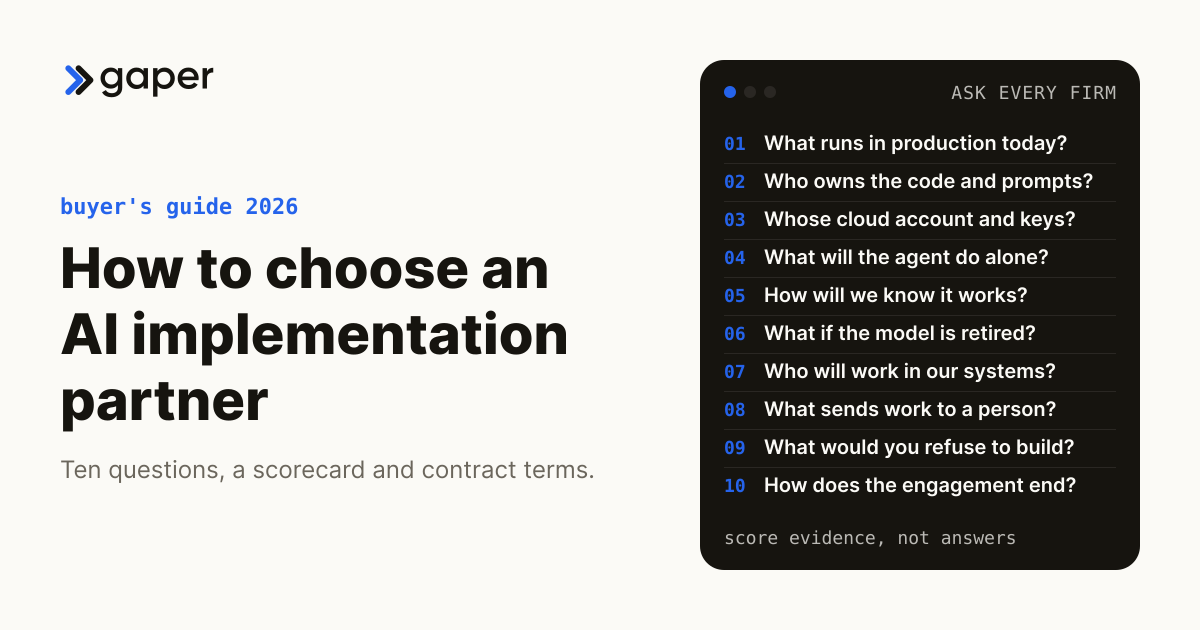
How to Choose an AI Implementation Partner: Questions to Ask Before You Sign
IndustryAI Implementation Cost for Accounting Firms (2026 Bands)
One AI workflow costs an accounting firm $12,000 to $34,000 to build and $690 to $2,630 a month to run, once you count the reviewer. Full tables and when to buy instead.
Sep 4, 2026
Legal Risks and Liabilities in AI Implementation: What Businesses Should Consider
Ready to turn AI into execution?
Book a free assessment of one workflow. We map it, make an honest build versus buy call before any code, and if an off the shelf product covers the job we will tell you so.