
TaxGPT vs AiTax vs AccountsGPT vs QuickBooks
TaxGPT, AiTax, AccountsGPT and QuickBooks compared on each vendor's published documentation, every figure linked. AccountsGPT is built by Gaper.
Quick Verdict: Which AI Tax Software Should You Choose?
Disclosure: AccountsGPT is built by Gaper.io, the company that publishes this page. Read it as a vendor's comparison and check the links.
- If you need citation-backed tax research: TaxGPT. It is the only one of these four that sells tax research as a product, covering US federal, all states and territories, plus Canadian federal and provincial. Neither QuickBooks nor AccountsGPT offers tax research, though AccountsGPT does handle tax preparation and payroll, Gaper confirms.
- If you need books, bank reconciliation and a general ledger: QuickBooks. It is the only one of the four that is a system of record, and the only one that publishes a price you can read without talking to a salesperson.
- If your ledger or practice system is proprietary and no vendor connects to it: AccountsGPT, or any custom build. Gaper builds a custom agent, deploys it in your cloud and hands over the code. If your stack is QuickBooks plus a mainstream tax package, this is the wrong line item and the subscriptions are the cheaper answer.
- AiTax: not rated. As at 14 September 2026, aitax.com does not load, and no pricing page, terms, privacy policy or security documentation is reachable at that address. There is nothing current to compare. Details in the AiTax section below.
This page is not a benchmark. Nobody ran these four products against a test set. Every product claim below is compiled from each vendor's own published documentation and pricing pages, linked inline so you can verify it yourself, and last checked on 14 September 2026. Where a vendor does not publish something, the tables say "Not published" instead of guessing. Where a competitor is genuinely better than AccountsGPT, the page says so. On tax research and on published pricing, the answer is not AccountsGPT.
Table of Contents
- Why AI Tax Software Matters in 2026
- Feature-by-Feature Comparison
- TaxGPT: The Enterprise Tax Research Engine
- AiTax: Why It Is Not Rated Here
- AccountsGPT: The AI Finance Assistant for Growing Firms
- QuickBooks: The Established All-in-One
- Where These Four Actually Overlap
- Vendor Claims, Checked
- Pricing Comparison
- Which Platform Fits Your Firm?
- Deciding Between a Subscription and a Build
- Frequently Asked Questions
Why AI Tax Software Matters in 2026
Adoption is real, but it is not as universal as vendor marketing suggests, and the gap between individual use and firm-wide deployment is the whole story. A Thomson Reuters Institute survey of professional services organizations found that organization-wide AI use roughly doubled year on year, yet it still sits well below the share of individual tax and audit professionals who report using AI tools regularly. Most of your staff are ahead of most firms.
That gap has a cost. The same research reports that a substantial minority of professionals use AI tools their firm has not authorised, drawn from a survey of professionals across dozens of countries conducted in March and April 2026. If the firm has not chosen a tool, client data is going into one anyway.
On time savings, be careful. Every vendor in this comparison publishes a headline number and none publishes a methodology behind it. Some of them contradict themselves: TaxGPT claims a 99 percent cut in research time on one page and 90 percent for the same work on another. No independent measurement of what these tools save a mid-size tax practice appears in any source linked on this page, so treat any percentage you are quoted, including on this page, as a marketing input to your own pilot rather than a forecast. The "Vendor Claims, Checked" section below sets out each claim with the qualifier the vendor attaches to it.
Manual re-keying of figures between bank statements, source documents and returns is where transcription errors enter a file, and it is the part of the workflow every tool in this comparison is aimed at. The dollar totals for what those errors cost US businesses that circulate widely online do not trace to a primary study, so no figure is printed here. The qualitative point stands on its own: errors of transcription are caught by matching, and matching is what software is good at.
One correction that matters if you are planning your season. The IRS Direct File program is not running for the 2026 filing season. The IRS's own announcement opening the 2026 filing season lists Free File, Free File Fillable Forms, MilTax, VITA and TCE, and does not mention Direct File. Nextgov reported in November 2025 that the IRS told its partner states "IRS Direct File will not be available in Filing Season 2026". Free File itself is open to taxpayers with an adjusted gross income of $89,000 or less in 2025, through eight trusted partners.
Tax code complexity keeps increasing regardless. OECD Pillar Two implementation affects multinational compliance, and state-by-state rule changes create a patchwork that manual tracking handles badly. That is the honest case for these tools. It is a case about coverage and consistency, not about a percentage.
Feature-by-Feature Comparison
This table records only what each vendor publishes on its own site, checked on 14 September 2026. A cell reading "Not published" means the claim does not appear on the vendor's own site, not that the answer is no. Where a vendor explicitly says it does not do something, the cell says so.
AccountsGPT is Gaper's own product, and Gaper publishes less about it than the other vendors publish about theirs. On AccountsGPT rows, "Not published" means Gaper documents nothing at all, so assume the capability is absent until it is scoped and written into a statement of work.
| Feature | TaxGPT | AiTax | AccountsGPT | QuickBooks |
|---|---|---|---|---|
| How it is sold | Subscription, three tiers, live demo required before an account is activated | Not on sale, vendor site does not load | Custom build engagement, not a subscription product | Subscription, four client tiers plus a separate firm-side product |
| Published price | None. No dollar figure appears on the pricing page | None, and no reachable pricing page | None. Contact sales | $38, $85, $140 and $340 per month for Simple Start, Essentials, Plus, Advanced, list, currently shown at 50 percent off for 3 months |
| Free trial or self-serve evaluation | A free trial is published, but the same FAQ states a live demo is required before an account is activated. No trial length published | Not published | None published. No trial, no sandbox, no self-serve path | 30-day free trial on Advanced |
| Citation-backed tax research | Yes, this is the core product | Not published | Not offered. Gaper does not claim it | Not documented in QuickBooks Online or on the ProConnect Tax pages linked here |
| Tax return preparation | Yes. Agent prepares 1040, 1065, 1120, 1120 consolidated and 1120-S, working inside your existing tax software with "no new portal or system of record" | Vendor described return prep in a 2024 release, nothing current is reachable | Yes, confirmed by Gaper | Not in QuickBooks Online. Separate products: ProConnect Tax, Intuit Expert Business Tax |
| Bookkeeping | Yes, a bookkeeping agent working through month-end close | Not published | Reconciliation, AP/AR exceptions, invoice and receipt processing, close prep, categorization | Yes, this is the core product |
| Bank reconciliation | Not documented. The bookkeeping agent is described only as running through month-end close | Not published | Matches transactions across systems and routes exceptions to a person | Yes on every plan manually. AI assistance in reconciliation comes with Accounting AI, on Essentials, Plus, Advanced and Intuit Enterprise Suite, not Simple Start |
| Multi-client management | Client profiles per client, no stated limit on users or queries. "Unlimited Client Intelligence Entities" is listed only on the Enterprise tier, which may imply a limit below it. TaxGPT does not publish one either way, so ask | Not published | Not published | Yes, via Intuit Accountant Suite |
| Multi-entity consolidation | Not published | Not published | Not published | Not in QuickBooks Online. Requires Intuit Enterprise Suite, priced on application |
| Jurisdictions | US and Canada only, plus treaty questions. Agentic workflows are US-only | Not published | Not published | US, plus named country editions and prefilled GST/VAT rates. Tracking and preparation, not filing |
| Named integrations | Tax software: Drake, ProConnect, UltraTax, CCH Axcess, Lacerte, ProSeries, ATX, TaxAct Professional and CCH ProSystem fx Tax. Accounting: QuickBooks, NetSuite, Digits, Rillet. Xero and Sage named nowhere | Not published | QuickBooks, NetSuite, Postgres, Snowflake. Xero appears on Gaper's accounting agents page but not the AccountsGPT page | App marketplace. Intuit's US app store page does not state a total count. No Xero, Sage or NetSuite integration, one-way migration only |
| Structured data in and out | PDFs and images only. No CSV, JSON or XML | Not published | Not published | Excel sync on Advanced |
| Payroll | Not published | Not published | Yes, confirmed by Gaper | Yes |
| Human sign-off before anything posts | Vendor says professionals stay "in the review seat, not the execution seat" | Not published | "Nothing posts to the ledger without an approval step you control" | Accounting AI output sits in a "Ready to post" queue for review |
| Security attestations published | SOC 2 Type II, AES-256 in transit and at rest, MFA and role-based access | Not reachable | No SOC 2 or other third-party attestation. Deployment controls stated as SSO, RBAC and audit logging, unaudited | PCI DSS, PCI SSF, SOC, ISO 27001, VPAT. The page does not specify a SOC type |
| Published commitment that customer data is not used for training | Yes. Vendor states it never trains on client data | Not published | None published either way | Partner models only. Intuit states customer data is not shared with partners to train their models and does not state what it uses for its own |
| Named customers or published adoption | 80,000+ users and over 650,000 questions, vendor-reported | Not published | None published. Gaper describes AccountsGPT as its accounting agent, set up for your systems and deployed in your cloud, and names no firm running it | Not published as a figure on the pages linked here |
| Who owns the deployment | Vendor SaaS | Not applicable | Your cloud. Gaper states you own the code and the audit trail. Ownership also means your firm owns maintenance after handover | Vendor SaaS |
Four rows deserve emphasis because they run against Gaper's own interest. AccountsGPT does not offer tax research, so if tax research is the reason you are reading this page, TaxGPT is the only product here built for that job. AccountsGPT does handle tax preparation and payroll, which Gaper confirms. AccountsGPT also publishes no trial, no adoption, no attestation and no training commitment, which are the four things a procurement reviewer normally asks for first.
Sources: TaxGPT pricing, FAQ and security; QuickBooks pricing and Intuit Accountant Suite pricing; AccountsGPT and Gaper AI agents for accounting. AiTax has no reachable vendor source, see below.
AccountsGPT is Gaper's own product. Gaper publishes this page.
TaxGPT: The Enterprise Tax Research Engine
TaxGPT is a tax research product first, with an agent layer built on top of it. The research side answers federal, state, local and treaty questions with what the vendor describes as citation-backed responses drawn from federal, state and territorial tax laws, publications, case law and regulatory guidance. Of the four products on this page, it is the only one that does this at all.
The agent layer is called Cowork, and the important detail is that it works inside the software you already run rather than replacing it. The tax preparation agent prepares partner-level 1040, 1065, 1120, 1120 consolidated and 1120-S returns, operating inside the firm's existing tax software, with Drake, ProConnect, UltraTax, CCH Axcess, Lacerte, ProSeries, ATX, TaxAct Professional and CCH ProSystem fx Tax all named by the vendor, which is explicit that there is "no new portal or system of record." There is also a bookkeeping agent that works through month-end close, and a return review agent the vendor calls Agent Andrew.
Coverage is narrower than the marketing implies, in two ways worth knowing before a demo. Jurisdictions are United States and Canada only, plus treaty questions connecting those two countries to others. And the Cowork agent layer is US-only, so a Canadian firm gets the research product without the automation. The vendor also states plainly that structured data import and export is not supported: "We currently only handle PDFs and images." If you expected to push ledger data in as CSV, you cannot.
TaxGPT publishes no price. All three tiers on the pricing page show a "Book a demo" button and no figure. The vendor says price depends on "number of users, industry, and specific requirements" without stating whether the unit is per user, per return or per firm. Specific annual figures for TaxGPT circulate on software aggregator sites; none appear on the vendor's own site, so none appear here.
On evaluation, the vendor's position is split. The same FAQ states that a free trial exists and that a live demo is required before an account is activated, so the trial is gated behind a sales conversation rather than open to self-serve sign-up. No trial length is published.
The tier split matters for a multi-partner firm. Tax Preparation and the Bookkeeping Agent are excluded from the entry Pro tier and only appear on Pro Plus and above, so a firm buying this for automation rather than research is buying at least the middle tier. "Unlimited Client Intelligence Entities" is listed only on the Enterprise tier, which may imply a limit below it. TaxGPT does not publish one either way, so ask in the demo.
Credit where it is due on how the vendor frames its own limits. TaxGPT states that it is "a research aid, it's meant to accelerate your analysis, not replace your professional judgment" and tells users to corroborate key conclusions with primary sources before relying on them. That is the right posture and it is more candid than most of this category.
Best for:
Firms whose bottleneck is tax research and return review, operating in the US, and willing to go through a sales process to find out what it costs.
Limitations:
No published price, and the free trial is gated behind a mandatory demo. US and Canada only, with the agent layer US-only. PDFs and images only, no structured data import or export. Bank reconciliation is not documented as a capability. Client Intelligence entity limits below Enterprise are not published.
AiTax: Why It Is Not Rated Here
This section is kept for anyone arriving from a search for AiTax, because the honest answer is that there is nothing current to compare.
As at 14 September 2026, aitax.com does not load, and no vendor pricing page, terms, privacy policy or security documentation is reachable at that address. The .com registry delegates the domain to Afternic nameservers. Afternic is GoDaddy's domain aftermarket. Anyone who wants to check the delegation directly can run the ICANN lookup for aitax.com.
No statement from AiTax.com, Inc. about the product's status is available to link to, so nothing is asserted here about why the site is unreachable. AiTax is excluded from the comparison rather than rated, and the tables mark its cells accordingly.
What can be documented is historical. A March 2024 press release issued by AiTax.com, Inc. described software that "leverages artificial intelligence technology to streamline income tax return preparation" while identifying tax planning opportunities, aimed at "individuals and businesses of all sizes." The vendor claimed the software was backed by four patents covering 19 claims, and offered real-time alerts on tax law changes. That release contains no price, no tier structure, no accuracy figure and no time-savings figure. It also does not describe multi-client management, staff seats or any other firm-level capability.
Three similarly named products are separate businesses and are not this one: aitax.bot is a cryptocurrency tax bot with its own token; aitaxaccountant.com is a brand called AI Tax Accountant aimed at small business owners; and aitax-solutions.com serves a WordPress maintenance page and presents as a local tax services firm rather than software.
Best for:
Not rated. Nothing about a current AiTax product can be verified against a vendor source.
Limitations:
No reachable website, no published pricing, no terms, no privacy policy, no security or retention documentation, and no evidence in any reachable vendor source that a firm-level tier ever existed.
AccountsGPT: The AI Finance Assistant for Growing Firms
Start with the thing that makes AccountsGPT hard to compare against the other three. It is not a product you subscribe to. Gaper's own FAQ asks "Is AccountsGPT a product I buy?" and answers yes: it is Gaper's accounting agent, set up for your systems and deployed in your cloud, with pricing that scales with volume. So there is no seat price to put next to QuickBooks' $38 per month, and any table that implies otherwise is comparing two different kinds of purchase.
What Gaper publishes it as doing is narrow and operational: it reads invoices, receipts and statements and validates the fields, matches transactions across systems and surfaces exceptions for a person to clear, and drafts recurring reports grounded in your data with citations. The broader engagement scope on the accounting agents page covers reconciliation, AP and AR exceptions, invoice and receipt processing, close prep, audit support, categorization and recurring reporting.
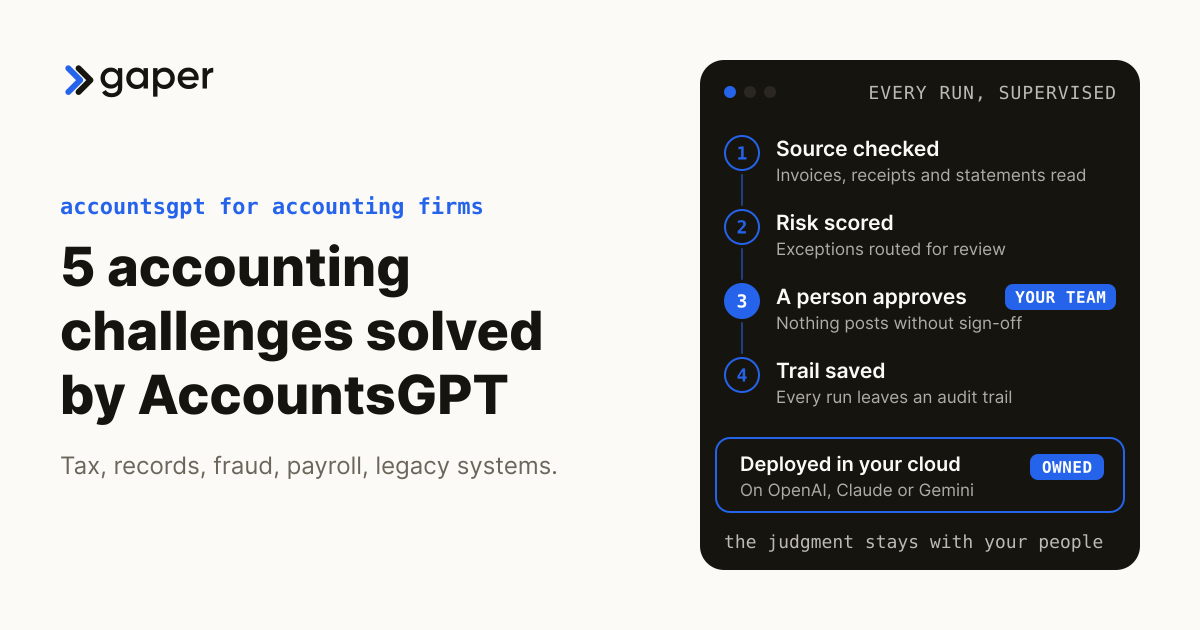
The control model is the claim Gaper states most precisely. "Nothing posts to the ledger without an approval step you control." It is worth being clear that this is not a differentiator. All three live products keep a human in front of the ledger: TaxGPT keeps licensed professionals "in the review seat, not the execution seat", and Intuit routes Accounting AI output into a "Ready to post" queue. What differs is who holds the artifact afterwards. With a build, the code and the log sit in your tenancy rather than the vendor's, and Gaper states that "You own the code and the audit trail."
Now the part a comparison published by the vendor has to say out loud. AccountsGPT does not do tax research. Gaper does not claim it, and the words tax research appear nowhere on the product page. AccountsGPT does handle tax preparation and payroll as well as the books, which Gaper confirms, and Gaper states nothing about e-filing. If you came to this page looking for an AI tax research tool, TaxGPT is the research tool in this comparison and AccountsGPT is not a substitute for it.
Gaper publishes no accuracy rate, no extraction or match rate, and no hours-saved figure for AccountsGPT, and holds no SOC 2 or other third-party attestation for it. Set against that, TaxGPT claims a SOC 2 Type II attestation, and Intuit publishes a compliance page naming PCI DSS, PCI SSF, SOC, ISO 27001 and VPAT without specifying a SOC type. If a SOC 2 report is a procurement requirement, ask each vendor for the report itself rather than relying on any of the three pages. Gaper also publishes no statement on whether customer data is used to train models, where TaxGPT does publish one.
Best for:
Firms with an operational bottleneck in intake, reconciliation and close prep, a system they need an agent wired into that no SaaS vendor supports, and a requirement to own the code and audit trail rather than rent access.
Limitations:
No tax research, and no published filing capability. Tax preparation and payroll are covered, Gaper confirms. No published pricing of any kind and no free trial. No SOC 2 attestation, no published accuracy or time-saving figures, no published no-training commitment, and no published adoption numbers. Gaper names no firm running AccountsGPT today; the product page describes it as an example of what Gaper builds. And ownership cuts both ways: after handover your firm owns maintenance, model changes and re-testing of software that touches client ledgers, unless you contract an SLA. It is a build engagement, so the cost and the timeline are scoped per firm rather than listed.
QuickBooks: The Established All-in-One
QuickBooks is the only product here that is a system of record, and the only one that tells you the price without a sales call. QuickBooks Online list pricing runs $38 per month for Simple Start (1 user), $85 for Essentials (3 users), $140 for Plus (5 users) and $340 for Advanced (25 users), each including 2 or 3 accountant seats, with a 50 percent discount for the first 3 months currently shown on all four. Those are the plans your clients sit on.
What the firm itself buys is different and is easy to miss. Intuit Accountant Suite, formerly QuickBooks Online Accountant, has a Core tier at no cost and an Accelerate tier listed at $0 during beta and moving to $149 per month on 20 January 2027. Core gives the firm 200 Intuit Intelligence prompts a month, a client inbox, role-based access and multiple client tabs; Accelerate raises the cap to 1,000 prompts and adds client groups, user groups and portfolio dashboards. On the client side, QuickBooks Online Advanced lists 25 chat questions a month. AI use here is metered rather than unlimited, which is at least a published number. Gaper publishes no usage limits for AccountsGPT because it publishes nothing, so agree them in scoping.
Firms billing clients through ProAdvisor Preferred Pricing get 30 percent off list on client subscriptions with one consolidated monthly invoice, no cost to join and no cap on client count. Monthly billing only, no annual option, and new subscriptions only. There is also a Books Close add-on billed separately at $8 per onboarded client per month up to 50 clients, or $6 above 50, from 21 January 2027.
The AI is real but plan-gated, and both facts matter. Accounting AI suggests categories, customers and vendors for bank transactions, auto-matches payroll deposits and bill payments, flags AR and AP aging issues, duplicates and miscategorizations, and explains what it found. It is included on Essentials, Plus and Advanced and Intuit Enterprise Suite, but not Simple Start, and that same article is where the AI assistance in reconciliation lives. The standard reconcile flow, including the optional statement upload where AI-powered reconciliation is enabled, is documented separately. Human review is designed in: transactions land in a "Ready to post" queue and you change them before they post.
Where QuickBooks falls short for a tax practice is not AI depth, it is scope. No searchable tax authority database is documented on the QuickBooks Online or ProConnect Tax pages linked here, so confirm with Intuit if tax research is a requirement. Business returns are not prepared inside QuickBooks Online at all; that is Intuit Expert Business Tax on the client side, whose price is only visible after you log in, or ProConnect Tax on the firm side at $109.95 list, shown at $82.46 pay-as-you-go, per individual return, and $129.95 list, shown at $97.48, per business return, falling further with volume, plus $210 per User Access license or $2,100 flat for 10 or more users. Sales tax is calculated across jurisdictions but returns are not filed automatically, review and submission stay with you. And multi-entity consolidation is not in QuickBooks Online; it requires Intuit Enterprise Suite, which publishes no price at all.
One more constraint that catches firms out: there is no integration with Xero, Sage or NetSuite. Intuit offers one-way migration only, from Xero and Sage 50 US Edition, via Dataswitcher. Multi-currency requires Essentials or Plus, so Simple Start clients with foreign transactions have to move up.
Best for:
The firm's bookkeeping layer across a client base, where the firm wants a known quantity, published pricing, a real attestation set and volume discounting through ProAdvisor.
Limitations:
No documented tax research. No return preparation inside QuickBooks Online itself. No automatic sales tax filing. No multi-entity consolidation without moving to a separately priced product. No Xero, Sage or NetSuite integration. AI prompts are metered, and the AI features you probably want start at Essentials or Plus, not Simple Start.
Where These Four Actually Overlap
Scoring these four on a single axis would be misleading, so this page does not. They are not competing products so much as adjacent ones, and the overlap is smaller than the category name suggests.
Only TaxGPT does tax research. Only QuickBooks is a general ledger. TaxGPT, QuickBooks and AccountsGPT all touch return preparation, but through different routes: TaxGPT's agent prepares returns inside tax software you already own, Intuit sells preparation as a separate product line from QuickBooks itself, and Gaper confirms AccountsGPT handles tax preparation. AccountsGPT overlaps with QuickBooks on reconciliation and payroll, and with TaxGPT on tax preparation but not on research. AiTax is not rated here.
The genuine head-to-head is narrower than four ways. If the bottleneck is research and review, the comparison is TaxGPT against the incumbent research providers, not against QuickBooks. If the bottleneck is transaction volume and close, the comparison is QuickBooks' built-in AI against a custom agent like AccountsGPT, and the deciding questions are whether your systems are ones a SaaS vendor supports, and whether you need to own the code and the audit trail.
These four do not substitute for one another. QuickBooks is a ledger, and TaxGPT is a research and preparation layer designed to sit on top of tax software you already run, so a firm that needs both jobs done needs both kinds of tool.
Vendor Claims, Checked
A scoring table previously published on this page claimed that all four platforms had been run against 25 standardized tax scenarios. No such test was run. There was no methodology, no raw data and no test artifact behind it, and the table has been removed rather than corrected. This section replaces it with something you can verify: each vendor's headline performance claim, and the qualifier attached to it.
| The claim | Who makes it | The qualifier | Independently verified? |
|---|---|---|---|
| "Cut down tax research time by 99%" | TaxGPT | The same vendor states 90% for the same work elsewhere. The two figures contradict each other | No methodology published |
| Agent Andrew "automates up to 90% of the tax return review process" | TaxGPT | Stated over Forms 1040, 1065, 1120 and 1120-S. Note "up to" | No methodology published |
| "Boost productivity by 10x" | TaxGPT | No basis given | No |
| "Satisfaction rate 95%" | TaxGPT | No basis given | No |
| "80,000+ tax professionals" and "over 650,000 tax questions" | TaxGPT | Adoption counts, not performance | Vendor-reported |
| AI agents save businesses "up to 12 hours a month" | Intuit | Footnote: 45% of customers saved 12 hours monthly on bookkeeping using the new AI bank feed, April 2025 survey. The headline describes a minority of those surveyed, not the average | No, customer survey |
| Businesses get "paid an average of 5 days faster" | Intuit | Footnote: US beta customers, January to August 2024, and the feature is stated as unavailable on QuickBooks Online Advanced | No |
| "$5K approximate savings in time per year" on Advanced | Intuit | Customer-reported, described as equivalent to closing books 2.2 days faster per month | No |
| "21% average revenue increase" | Intuit | Conditioned on customers who already reported revenue growth | No |
| Reconciliation in "less than 10 minutes" against "up to an hour" manually | Intuit | Vendor's own before-and-after framing, no methodology | No |
| No performance figure of any kind is published | AiTax | The only reachable vendor document, a 2024 press release, contains no quantified metric | Not applicable |
| No accuracy rate, match rate or hours-saved figure is published | AccountsGPT (Gaper) | Gaper publishes none, and names no firm running it | Not applicable |
Two patterns are worth naming. First, the strongest-sounding numbers in this category are the ones with the loosest footnotes, and Intuit's 12-hours claim is the clearest example: the headline reads as typical, the footnote says 45 percent of surveyed customers. Second, a vendor contradicting itself across its own pages, as TaxGPT does on research time, is a reasonable prompt to ask in the demo how the figure was measured and against what baseline.
What to do instead of trusting any of this. Take twenty of your own returns or twenty of your own reconciliation files, the messy ones and not the clean ones, and run them through whichever tool you are evaluating with a person timing the review. That is a two-day exercise and it will tell you more than every figure in this table. TaxGPT publishes a free trial and also states that a live demo is required before an account is activated, so build that step into your timeline. QuickBooks Online Advanced lists a 30-day free trial. AccountsGPT publishes no trial at all.
The honest summary. For tax research and return review in the US, TaxGPT is the only product here built for the job. AccountsGPT does not offer tax research, though it does handle tax preparation and payroll, which Gaper confirms. For books, bank feeds and reconciliation across a client base at a published price, QuickBooks is hard to beat and is the only option here you can evaluate without a sales conversation. AccountsGPT is the right answer only in the narrower case where you need an agent inside systems no vendor supports and you need to own the code. AiTax is not rated.
AccountsGPT is Gaper's own product. Gaper publishes this page.
Pricing Comparison
Only one of these four publishes a price. That is the single most useful thing to know before you start a procurement process, so here is the position as at 14 September 2026.
| What is published | What it costs | |
|---|---|---|
| QuickBooks, client-side | Full rate card | Simple Start $38/mo, Essentials $85/mo, Plus $140/mo, Advanced $340/mo, list. A 50% discount for 3 months is currently shown on all four |
| QuickBooks, firm-side | Full rate card | Intuit Accountant Suite Core $0. Accelerate $149/mo from 20 January 2027, listed at $0 during beta. Books Close add-on $8 per onboarded client per month up to 50 clients, $6 above 50, from 21 January 2027 |
| QuickBooks, firm discount | Published | ProAdvisor Preferred Pricing: 30% off list on client subscriptions when the firm is billed. No cost to join, no client cap, monthly billing only |
| QuickBooks, tax software | Full rate card | ProConnect Tax: $109.95 list, shown at $82.46 pay-as-you-go, per individual return; $129.95 list, shown at $97.48, per business return, falling further with volume, plus $210 per User Access license or $2,100 flat for 10 or more users |
| QuickBooks, multi-entity | Not published | Intuit Enterprise Suite is contact sales. A ProAdvisor discount of "up to 60% off list" is mentioned but the list price itself is not disclosed |
| TaxGPT | Nothing | No dollar figure appears anywhere on the pricing page. All three tiers show only "Book a demo". The vendor says price depends on "number of users, industry, and specific requirements" and never states whether the unit is per user, per return or per firm |
| AccountsGPT | Nothing | No price, no tier, no currency, no trial. It is a custom build engagement, scoped and quoted per firm. This is the least transparent line in the table, and it is Gaper's own |
| AiTax | Nothing | No reachable pricing page. aitax.com does not load |
Three practical consequences. First, only QuickBooks can be budgeted before you talk to anyone. Second, TaxGPT's tier gating matters more than its headline price, because Tax Preparation and the Bookkeeping Agent are excluded from the entry Pro tier, so a firm buying for automation is buying Pro Plus or above. Third, watch the effective dates on the Intuit figures: the Accountant Suite Accelerate price and the Books Close add-on both take effect in January 2027, and Intuit does not state whether beta subscribers are grandfathered.
Specific dollar figures for TaxGPT and AiTax circulate on software aggregator and review sites. None of them appear on either vendor's own site, so none of them appear here.
Which Platform Fits Your Firm?
The right choice depends on which bottleneck actually costs you hours, not on which product scores highest on a chart. Here is a framework based on what each vendor documents, with the caveat that you should confirm against your own files before signing anything.
Your bottleneck is research and review. TaxGPT. It is the only product here that does citation-backed tax research, and its review agent is aimed squarely at catching transcription errors, omissions and classification mistakes against source documents. Confirm two things in the demo: what the Client Intelligence entity limits are below the Enterprise tier, since nothing is published either way, and what the price actually is, since that is not published either.
Your bottleneck is transaction volume and close. QuickBooks, with the AI features that start at Essentials and Plus rather than Simple Start. Bill through ProAdvisor Preferred Pricing for 30 percent off list on client subscriptions and a single monthly invoice. Budget separately for return preparation, because QuickBooks Online does not do it.
You have clients with multiple entities. Not QuickBooks Online. Multi-entity consolidation requires Intuit Enterprise Suite, which publishes no pricing at all, so treat that as a sales conversation rather than an upgrade. TaxGPT publishes nothing about entity limits below Enterprise either. Get both numbers in writing before you commit a client base.
You have clients outside the US and Canada. TaxGPT does not cover them. Its research is US and Canada only, plus treaty questions, and its agent layer is US-only. QuickBooks has country editions and prefilled tax rates for a longer list of jurisdictions, but it tracks and prepares rather than files. Neither is a global compliance answer.
Your bottleneck is a system nobody integrates with. This is the case where a custom build makes sense, and it is the case AccountsGPT is for. If your firm runs a proprietary practice management system, an unusual ledger, or a data warehouse the SaaS vendors do not connect to, a built agent that runs in your cloud and that you own is a different proposition from a subscription. If your stack is QuickBooks plus a mainstream tax package, buy the subscriptions instead. That is cheaper and faster, and this page would rather say so than sell you an engagement you do not need.
You currently use AiTax. Nothing current about the product can be verified from a vendor source, so take that question to the vendor rather than to this page.
Expect to run two. No product here covers both tax research and the general ledger, so a firm that needs both jobs done needs two tools. TaxGPT is explicitly designed to sit on top of existing tax software rather than replace it. A comparison page that pushes you toward one product for everything is selling, not advising.
Deciding Between a Subscription and a Build
The honest default is a subscription. AccountsGPT is built to sit inside systems you already run, and where a mainstream vendor already ships the capability, buy theirs. The case for a build is a system nobody connects to.
Already using QuickBooks? QuickBooks is named as an integration on the AccountsGPT page. QuickBooks' own Accounting AI already does categorization, matching and reconciliation assistance from Essentials upward, so the question to ask in scoping is what a custom agent would add that the plan you are already paying for does not.
Already using Xero? Xero is named as a connector Gaper has built on the AI agents for accounting page, though not on the AccountsGPT page itself. Because these are custom builds wired through APIs rather than a certified app marketplace, treat any connector as something to confirm in scoping rather than assume.
Working in Excel or a warehouse? Postgres and Snowflake are both named as integrations on the AccountsGPT page. Excel is not, so if spreadsheet workflows are central to your firm, raise that in scoping rather than assuming native support. QuickBooks publishes Excel sync on Advanced.
Need a custom integration? Gaper.io is an AI-native implementation partner. If your firm uses a niche accounting platform or proprietary system, Gaper’s engineering team can build a custom connection in days, not months.
See AccountsGPT in Action
Manage multiple clients, automate reconciliation, and forecast with AI. Starting deployment in days.
AccountsGPT is built by Gaper.io, an AI-native implementation partner. Gaper builds and deploys production AI agents that run in your cloud and that your team owns.
Not Sure Which Platform Fits Your Firm?
Book a free 30-minute assessment. We will analyze your firm’s workflow and recommend the right AI accounting stack.
What Changed On This Page
This page was substantially rewritten on 14 September 2026. A scoring table that claimed a 25-scenario test of all four products was removed; no such test was run, and no methodology, raw data or test artifact existed behind it. Capability, pricing and adoption claims for all four products that were not traceable to a vendor source were removed, along with a comparative superiority claim about AccountsGPT and an incorrect statement about the status of the IRS Direct File program. Every figure now on the page carries an inline link to the source it came from. Where a vendor publishes nothing, the page says so rather than estimating.
Frequently asked questions
Which AI tax platform is best for a mid-size firm managing 10 to 100+ clients?
How much does QuickBooks cost compared to the other platforms?
Which platforms support international accounting and GAAP-to-IFRS conversion?
Can AI tax software replace my accounting team?

Ready to turn AI into execution?
Book a free assessment of one workflow. We map it, make an honest build versus buy call before any code, and if an off the shelf product covers the job we will tell you so.